
Pick up where work left off.
Bring client information, intake, documents and follow-ups into one workspace. TAAX AI keeps it all organized.
Explore client management →Keep client details, staff calendars, documents, tasks and billing connected. Let TAAX Ai help your team review priorities and prepare the next step.
Explore TAAX office tools free for 7 days. After your trial, you can upgrade or continue for free with our limited Basic plan.
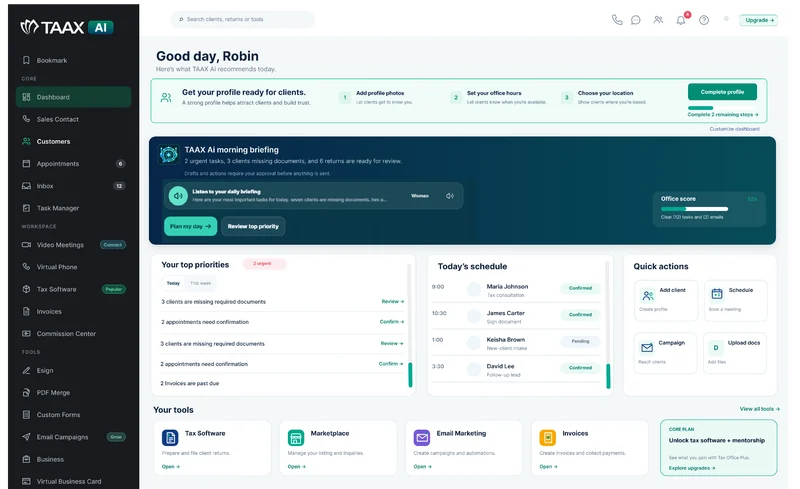
Your connected workspace for everyday office work.
Whether your office is established or adding staff, start with the work your team already does every day.
Bring client information, intake, documents and follow-ups into one workspace. TAAX AI keeps it all organized.
Explore client management →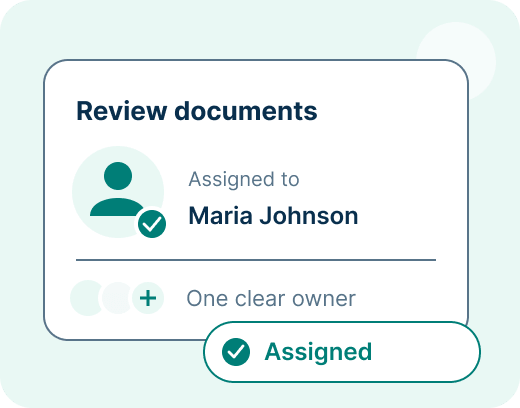
Organize appointments and assign tasks so the next person knows what needs attention.
See staff scheduling →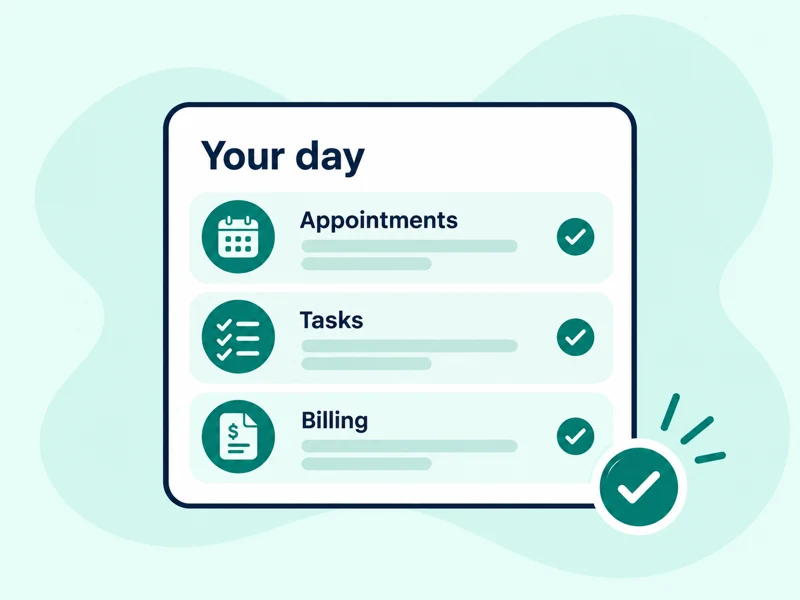
Use your dashboard to review appointments, tasks and billing before choosing your next action.
Explore the dashboard →Configured automation keeps routine reminders moving. TAAX Ai helps your team review office information, identify what needs attention and prepare follow-ups for review.

Review office priorities, upcoming appointments and open work to find a useful starting point.
Ask about a customer’s documents, forms, notes, appointments, tasks and invoices.
Review assigned or overdue work and use the assistant to help prepare tasks and appointment details.
Review incomplete intake, client documents and signatures still waiting for a response.
Find open balances, past-due invoices and drafts, then prepare a client reminder for review.
Prepare client messages, file notes and follow-up tasks. Review and approve AI-prepared actions before they are saved or sent.
TAAX Ai brings relevant office work into the conversation so your team can choose the next action.
AI access and actions follow the account’s permissions, plan and available credits. Scheduled automation and AI-prepared actions are different: review AI drafts before approving them.
Follow a customer from intake and appointments through assignment, team chat, customer communication, documents and billing. Choose a step in this illustrative workflow using sample information.
Jason uploads a document. TAAX AI reads its contents, identifies the document type and period, and suggests a clear filename. File it to the customer’s folder using your office’s rules, with review when required.
Suggested filename
W2_2025_Jason-Parker.pdf
File to Jason’s Tax documents folder using your office’s filing rules.
Read → Label → File
Organized with the customer’s records.
Tools: TAAX AI and Document Manager.
Jason chooses a time to discuss his filing. Select the staff member, meeting type and an available appointment, then keep the confirmation and meeting notes with his client record.
Illustrative times · Eastern time
Try the appointment calendar →What we’ll discuss
Review Jason’s intake, filing questions and the documents needed next.
Save meeting notes and an optional time entry. Carry them forward into document follow-up, team tasks and billing.
Tool: Appointment Management · Choose a time, confirm and review the next step.
Ask TAAX AI to review Jason’s client context and help prepare the next task. Choose the responsible colleague, confirm the due date and pass along project notes so the next person can pick up the work.

Review the uploaded W-2, check intake progress and update the next step.
Tools: TAAX AI, client management and Task Manager.
Keep handoffs and office updates in one team conversation. Staff can stay connected from the pro dashboard or pro mobile app.
Fewer internal email threads and phone calls.
Jason’s intake is ready, and the uploaded documents are in the client folder. I’ve assigned the project to the preparation team.
I’ll review the file and ask Jason for the missing income statement through customer chat. I’ll update the project notes when it arrives.
Please tag me when the documents are complete. I’ll review the file and leave any questions with the project so everyone has the same context.
I’ll check the saved time entries and prepare the draft invoice after the review. The team can confirm the services and amount before it is sent.
Tool: internal team chat.
Keep document questions and next steps in customer chat. Your team can use the pro dashboard or pro mobile app; customers can reply from the client portal or customer mobile app.
Cut down on follow-up emails and phone calls.
Hi Jason, we’ve reviewed your intake. Please upload the missing income statement to your client folder before our appointment.
I’ve uploaded the statement and the supporting document. Can you confirm that everything came through?
Thank you, both files are in your folder. I’ve updated your project and let our reviewer know the documents are ready. We’ll message you here if anything else is needed.
Great, thank you for the update. I’ll keep an eye on this conversation and see you at our scheduled appointment.
Tools: customer chat, the client portal and customer app.
Ask TAAX AI to review Jason’s uploaded files, incomplete intake forms and pending signatures. Use that context to prepare a clear follow-up, then review the recipient and message before sending.
Documents, forms and signatures in one client context.
Hi Jason, thanks for uploading your W-2. Please finish your intake form and review the engagement letter before our appointment. Let us know if you need help.
Tools: TAAX AI, Document Manager, custom forms and E-signatures.
Track time when needed, then stop and save the session. Ask TAAX AI to prepare a draft invoice using the customer, service, amount and due date you confirm. Review the hours, rate and invoice before sending. AI can also help review unpaid balances and draft payment follow-ups.
Confirm the customer and billing details before continuing.
Jason Parker · Bookkeeping review
45 minutes · $120/hour
 NORTHSTARTax & Accounting
Due Friday · Jason Parker
Tools: TAAX AI, time tracking and Invoice & Billing. You can bill services without using the timer.
Keep your existing filing software with Premium or Office Team. Choose Tax Office Plus only when you want our tax software.
Office workflow and AI tools, with the filing software you already use.
A shared office workspace for colleagues, customers and daily work. No bundled tax software.
Choose office workflow together with professional tax software and provider activation.
Additional full team users: $324/year. Limited support users: $120/year, with owner-controlled access and the option to upgrade. Tax software is included with Tax Office Plus; it is separate for other plans. Network services are separate.
Compare user options →Purchased tax software supports unlimited tax preparers; seats remain separate. Existing subscribers retain their purchased benefits.
Choose one repeatable process, try it with a colleague, then bring over more work once it fits your office.
Moving from another system? Our team will help plan your data migration, coordinate the transfer and get your office set up. Explore TAAX first, then work with us to move your office when you’re ready.
Begin with intake, appointments, documents or invoicing.
Use your existing office account. Confirm the seat allowance and choose each colleague’s access with the owner.
Add a sample client, assign a task and check the next step together.
Review what worked before adding more staff and client records. Keep time tracking optional when it is not part of your process.
Yes. Premium and Office Team work with the filing software you already use. Office Team includes 3 full seats. Tax software is optional: choose Tax Office Plus or discuss a separate tax-software add-on.
Tax Office Plus includes 2 seats + unlimited tax software users. The 2 seats provide access to the TAAX dashboard; unlimited users apply within the tax software. Office Team includes 3 seats, with tax software available separately. Additional full team seats are $39/month or $324/year.
Limited view-only/admin support users can help with data collection and administrative work, with abilities set by the owner. This access costs $20/month or $120/year and can be upgraded.
Explore TAAX office tools free for 7 days. After your trial, you can upgrade or continue for free with our limited Basic plan. Live tax software and onboarding require a qualifying purchase and provider activation. Optional add-ons have separate access and charges.
Yes. Our team will work with you to plan your move and help migrate your office’s data into TAAX. We’ll review your current tools and data, coordinate the transfer and help your team get set up. Your migration is planned separately from the demo, so you can explore TAAX first and transition your office when you’re ready.
Start with your team’s workflow, then choose the tools and access you need.

