Owner access
See office client records and office boards. Review assignments across staff, then open the relevant tool to follow up.
Clients, appointments, tasks and invoices—together in one dashboard for tax preparers, accountants and bookkeepers. TAAX Ai helps you see what needs your attention.
A clearer day starts with a connected office.

One shared workspace
Keep essential tools togetherOne workspace
Essential tools, together
A clear daily overview
See what needs you nextA clear overview
See what needs you next
Connected client activity
Follow every important updateConnected activity
Keep up with client updates
TAAX Ai beside you
Turn questions into next stepsTAAX Ai beside you
Questions to next stepsSwitch between office oversight and an employee’s focus. Open a priority, review the client context and try a handoff.

Start with the overdue W-2 follow-up, then confirm James’s appointment.
Choose a priority to explore its next step.
Interactive illustration · Fictional clients and sample actions. Nothing is sent or changed in a live account. Tools and widgets depend on your plan and role.
See office client records and office boards. Review assignments across staff, then open the relevant tool to follow up.
Work with linked client records and your appointments. Board access includes your own boards and boards with tasks you created or were assigned.
The example groups overdue and review work to show the next step. A Review column is a team workflow stage; it does not add an approval permission. Commission Center payout totals are owner-only.
Ask a question. Get a clearer starting point. TAAX Ai brings your office activity into one useful conversation.
TAAX Ai
What needs my attention today?
Your office, in one conversation.
Here’s where I’d start.
A document request needs review
Review the missing items before the next step.
An appointment needs confirmation
Check your upcoming schedule and follow up.
A task needs your next step
Keep the next action in view for your team.
Move straight into the tools you use most. Your dashboard keeps common actions within reach.
Bring client inquiries, appointment changes, document updates and team tasks into one clear view.
Keep the client context close
Follow recent activity and identify the client files that need attention.
Give each employee a focused view
Every employee has a dashboard for their own clients and appointments.
Bring client calls, video meetings and internal conversations into the same office experience.
See upcoming virtual appointments and move from your schedule into the meeting.
Keep incoming calls, outgoing calls and client communication history close at hand.
Share updates and documents with your team as the work moves forward.
Keep appointments, client updates and important tasks in view with the TAAX Pro mobile experience.
Your day, ready at a glance
See your schedule and the items that need attention before the next conversation.
A connected client experience
Clients can book, communicate and send documents through the Customer App.

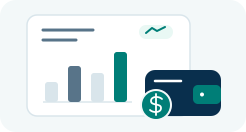
Bring important business summaries into one overview, then open the details when you need them.
Review income, outstanding balances and recent payments.
Track inquiries, active clients and the work moving forward.
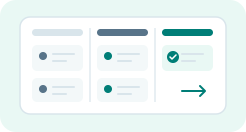
Keep due dates, completed work and team priorities in view.

See upcoming meetings and prepare for the next client.
Want a guided look at your connected office?
Bring your clients, team and tools together in TAAX Pro.